
Status
See which Bots are idle, running, or stuck without opening the desktop.
Now on the App Store
Apple Watch companion
Your Bots keep working. The Watch only taps you when a decision is due.
Unofficial iPhone + Watch companion for Grok Bot. Glance status. One-tap approve, reject, or later. Short voice tasks. Full threads stay on the phone and desktop.
1.3.0 live on App Store
Not an xAI product. Not the official Grok Bot app.
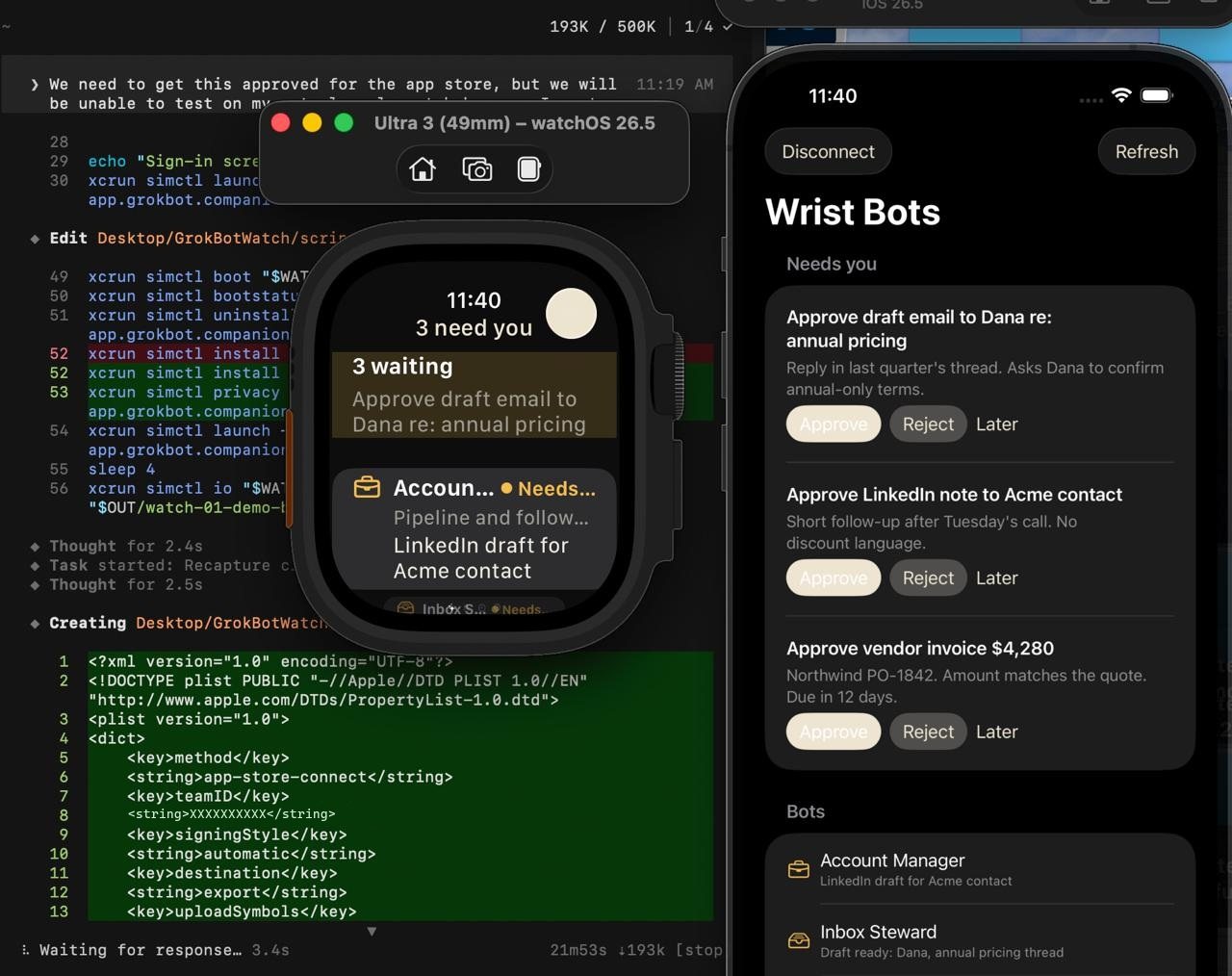
See which Bots are idle, running, or stuck without opening the desktop.
Enough context to decide. Approve, reject, or park it. No full draft on the Watch.
Dictate a short instruction. Complications keep the pending count on the face.
A clearer iPhone layout and a Watch UI that matches it. Cream primary actions. One Watch install card. Wi-Fi connect is a tap, not a status label. Approvals on the wrist are a full-width Approve. The Watch is still automatic. A computer on this Wi-Fi is still optional. Tap Try the demo to review with no account.
An unofficial iPhone and Apple Watch companion for Grok Bot. The wrist is for status, approvals, and short voice tasks. Full threads stay on iPhone and desktop.
No. This is an unofficial companion. It is not an xAI product and is not the official Grok Bot app. You connect your own Grok Bot account.
It is live now at https://apps.apple.com/app/id6801710998. The listing name may appear as Wrist Bots.
See which Bots are idle, running, or stuck. Approve, reject, or park a request without opening a full draft. Dictate a short instruction. Complications show pending count and the last headline.